
If your billing information is not filled in, all invoices will be generated under your account name instead of your company name.
1
Open the Billing section
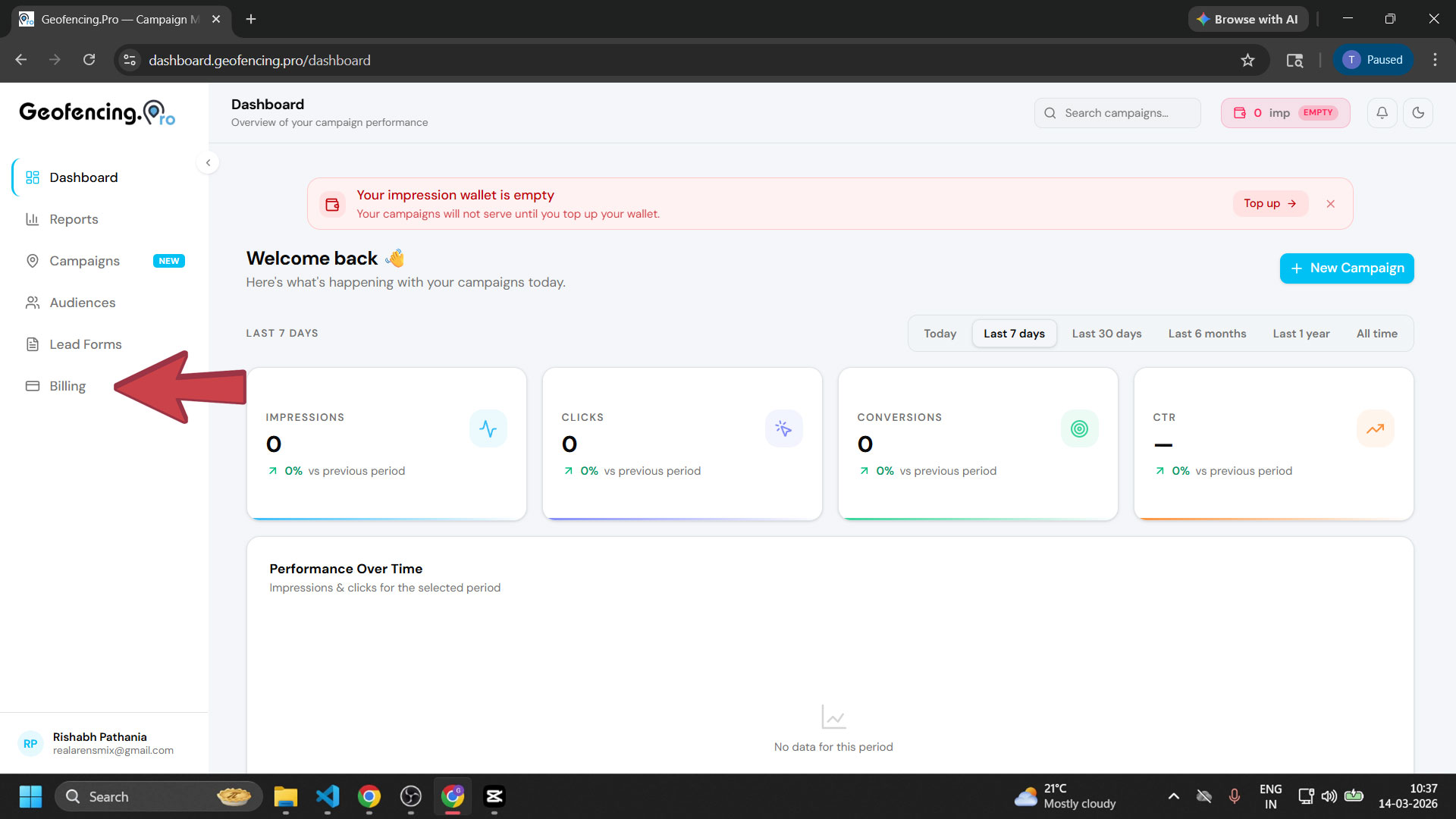
From your dashboard, click Billing in the left sidebar. You will be able to see your billing information at the top of the page.
2
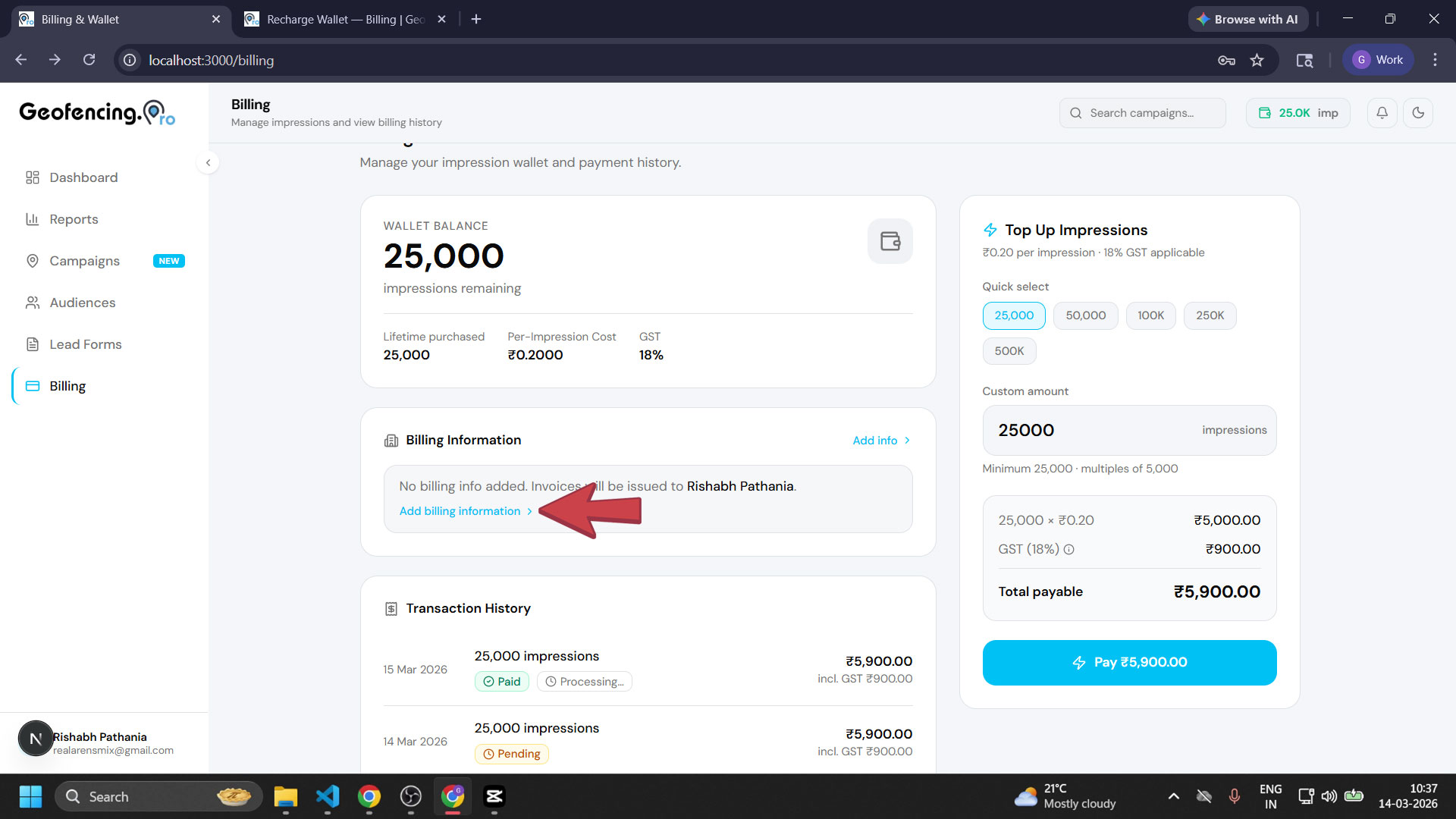
Click on Add Billing Information
On the Billing page, you will see the option to add your billing information. Click on it to open the billing details form.
3
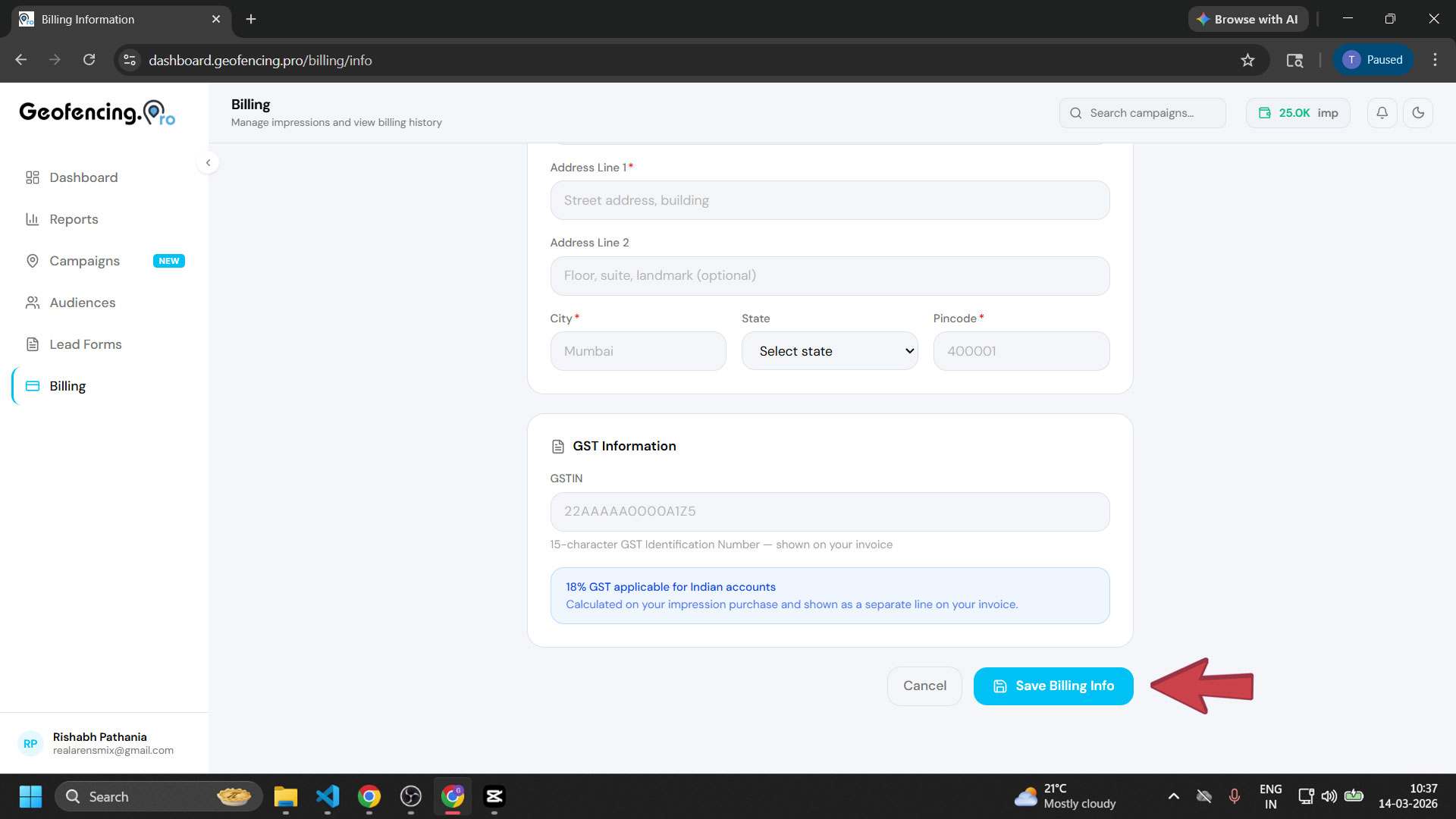
Fill in your details and click Submit
Enter your company's billing details in the form — including company name, GST number, and address. Scroll down once all fields are filled and click “Save Billing Info” to save the information.
4
Billing information saved
Your billing information is now saved and will be displayed on the page. You can click the Edit button at any time to update your details. All GST invoices going forward will be generated in your company's name.
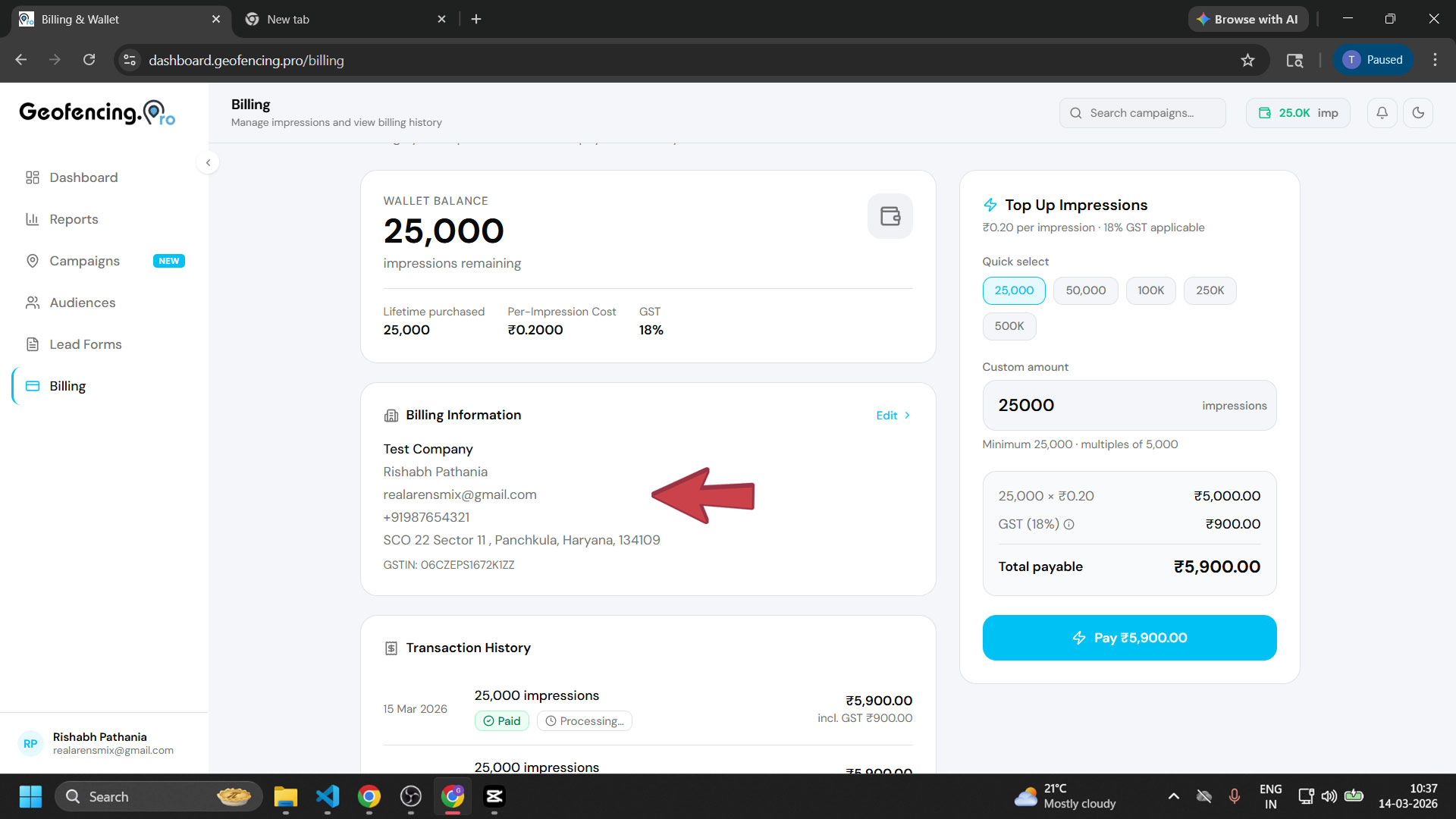
Your billing information has been saved. All GST invoices going forward will be generated in your company's name.